Blog
Discover the latest news at Inmotek
Inmotek update schedule new version
Greetings, We will proceed in the coming days to launch version 2.0 of the entire inmotek system. What it includes New version of CRM with extensive visual and operational improvements New version for customer and owner access (already online and in testing) New version of the inmotek partner panel (Now online and in testing) New versions of inmotek websites for your agency with important improvements and changes. The new version of CRM includes more than 50 functional improvements apart from a visual restyling, some of them very useful such as various statistics, better customer management, the possibility of tracking your properties on real estate portals and forcing the upload of properti...
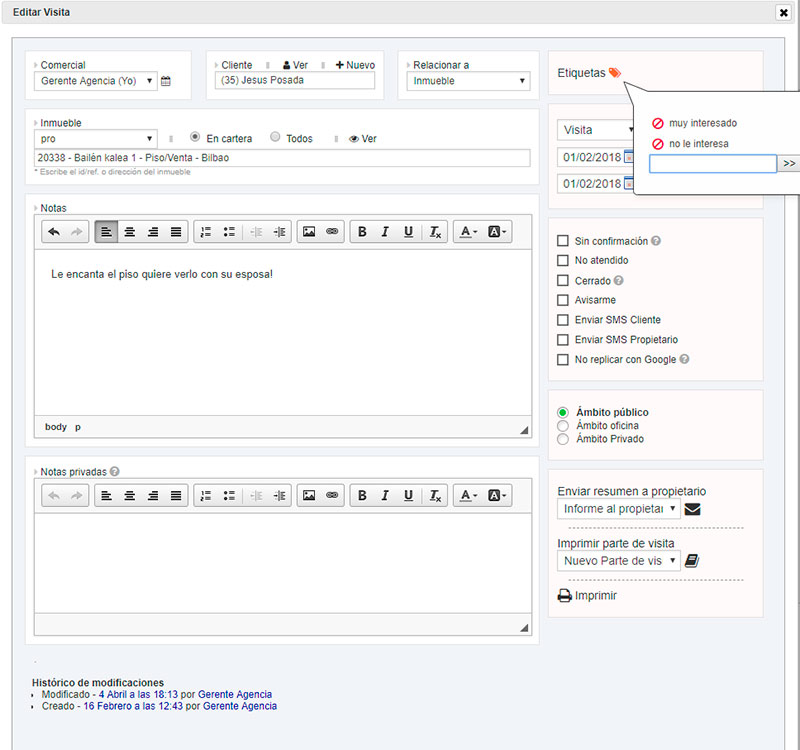
Coming soon, nested events in the new inmotek update
In the next update of Inmotek we have made an important visual improvement and we have added the possibility of nesting events by relating them to each other. We will tell you more news very soon. After the holidays, we will be holding two events on dates yet to be determined, one of them in Donostia-San Sebastián, at the beginning of September. We will keep you informed.
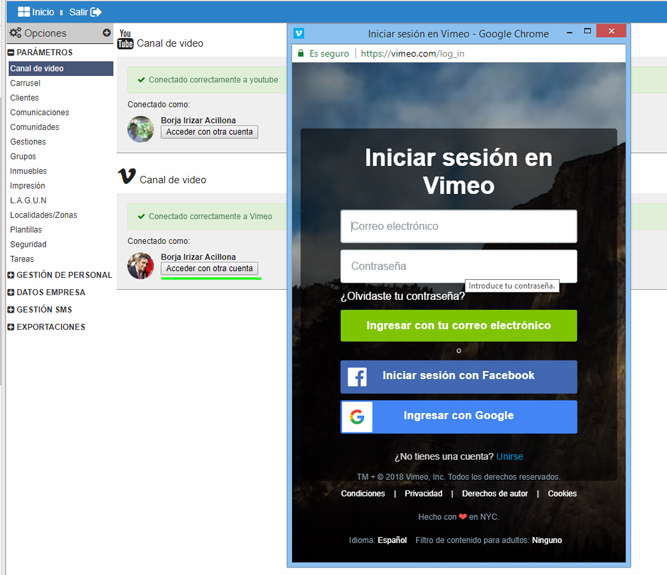
Vimeo platform is now available on inmotek!
This week, a new feature has been activated that allows the use of the Vimeo video platform directly from Inmotek. This means you can now upload videos not only from YouTube, but also from Vimeo, which offers a more professional result and quality. We have decided to include the possibility of using Vimeo in inmotek because, in this way, companies that use this professional video platform will be able to add their files to inmotek with ease. The process for using Vimeo is very similar to that for using the YouTube platform: first you need to set up the channel and finally you just need to add the video to the property listing. Below we will describe the process graphically so that the proces...
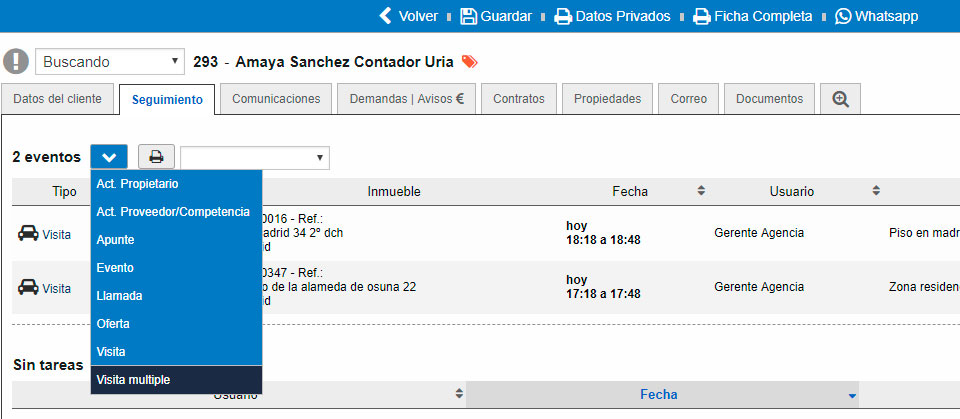
Discover this week's news!
Now you can create multiple visits in inmotek It is common that when an appointment is made with a client, there are several properties to visit, for this reason inmotek has thought of simplifying the process of creating this type of visit. The new functionality that inmotek incorporates allows creating visits to several properties for a single client , in this way the process is streamlined and much more useful. Using the new feature requires following a few simple steps. First, we will go to our client's profile, in the tracking section and click "+" to create a new event or view. When you click MULTIPLE VISIT, a form will appear where you can fill in the properties you are going to visit...
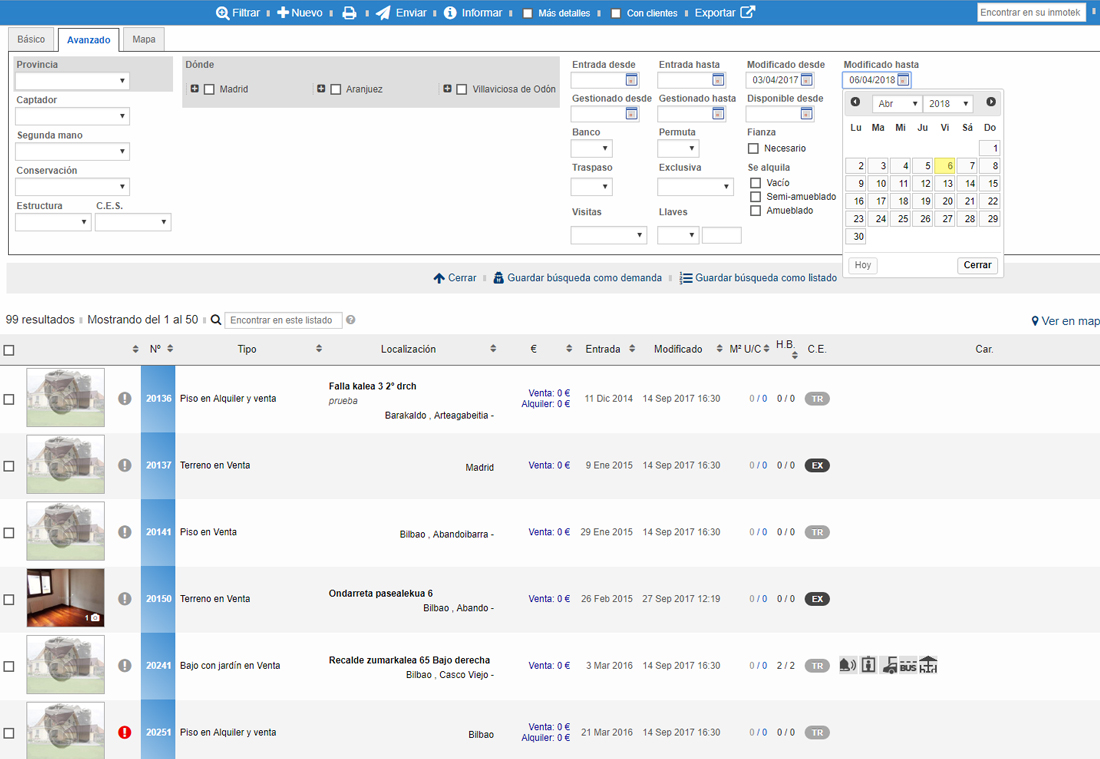
News on property listings
This week, Inmotek has incorporated two new features that will allow users to sort their property portfolio according to a new criterion: the date the property was modified, and to indicate the origin of the properties. First of all, to use the new functionality of order by modification date we have to follow a few simple steps. First, go to the list of properties, for example "In portfolio", and click "Filter". In the tabs that open, select the "Advanced" option. As you can see, we can select "Modified since" and "Modified until". Once we select the desired dates, and without having to remove the filter or save it, a new column will be created in the list below: "Modified", next to "Entry"...