Blog
Discover the latest news at Inmotek
Saresoft and Erbi bring the future of AI closer to Inmotek
Saresoft and Erbi, a partnership that has made it possible for the new advanced AI voice assistant to be available to all inmotek customers in just a few months . Your AI receptionist providing information about your properties and promotions, closing appointments and collecting leads, all in your Inmotek. Check the terms and rates here. Contact us to sign up and enjoy 100 free minutes if you sign up before October 16th.
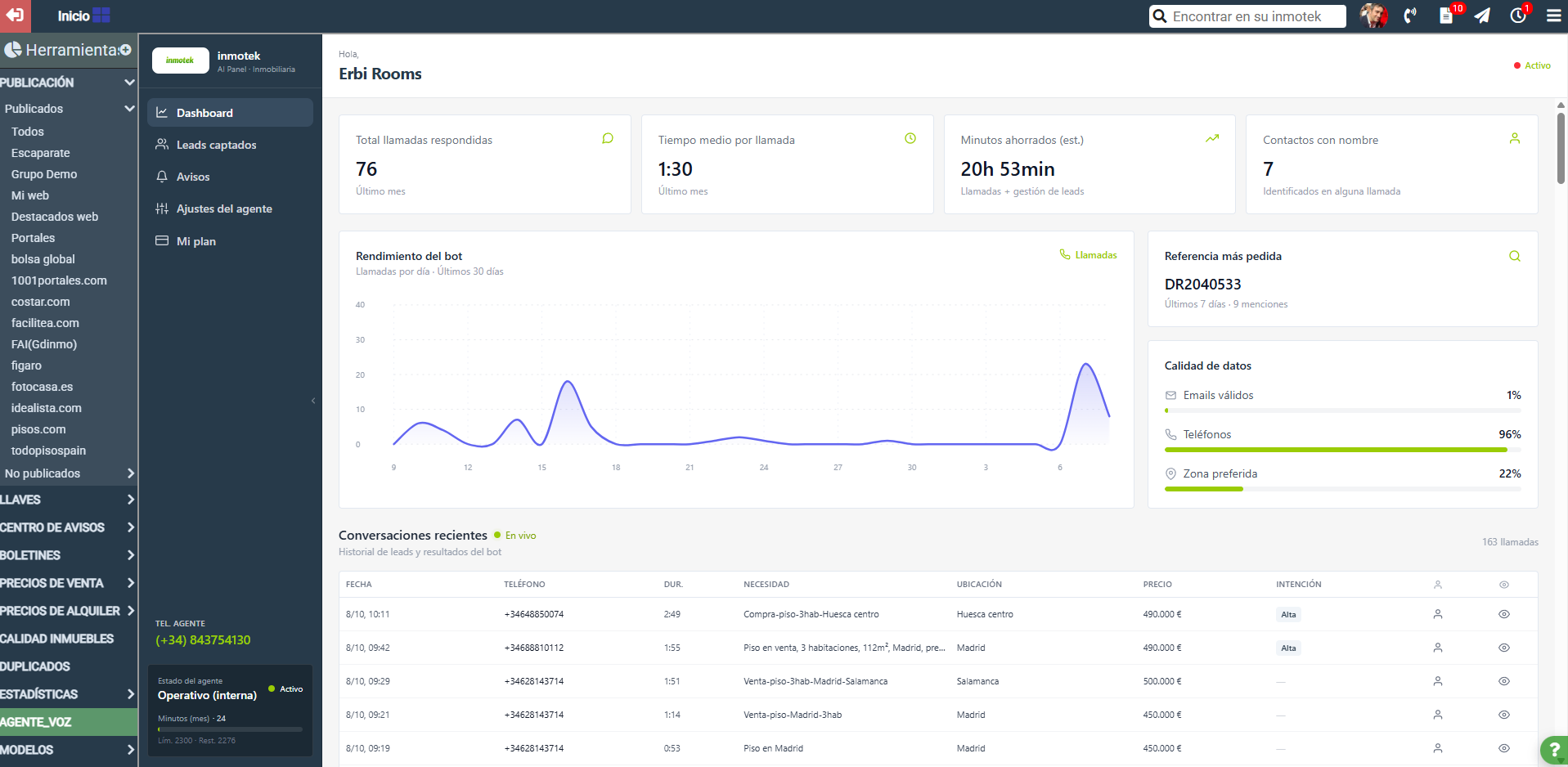
Information about the AI voice assistant for Inmotek
Hire your AI voice assistant now and enjoy its benefits It is a 24/7 telephone solution that handles and filters simultaneous calls from buyers and sellers with a natural voice, ensuring that no lead is lost . The system answers specific questions about your property catalog and profiles clients (capturing budget, area, and financing). Synchronize the data with Inmotek. Rate each user's interest and don't miss any valuable opportunities. Check the terms and rates here Contact us to sign up and enjoy 100 free minutes if you sign up before October 16th.
Reminder: Download Idealista and Fotocasa brochures
Download the Fotocasa lead generation Chrome extension With the new Chrome extension, you can capture property data from Fotocasa and instantly sync it with Inmotek. Save time managing your leads. Discharge Download the Idealista Lead Generation Chrome Extension With the new Chrome extension, you can capture property data from Idealista and instantly sync it with Inmotek. Save time managing your leads. Discharge The token you'll need to configure it can be obtained from the Inmotek WEB section. Within Web: in the Myweb folder: inside Others. Important! DO NOT GENERATE A NEW ONE , simply copy the token and paste it to configure the extension. If you have any questions, we are at your servic...
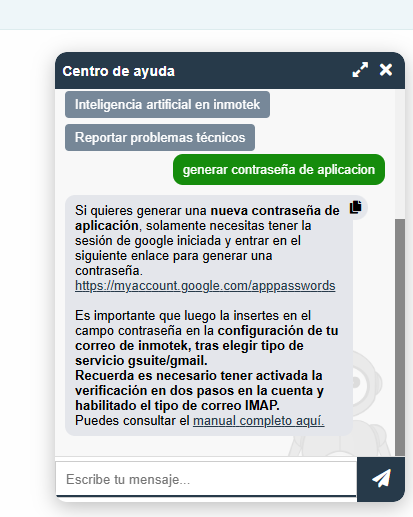
Are your Google accounts not configured or incorrectly configured in Inmotek?
Use the help chat to generate your app password If your Google account is not configured in Inmotek, it's likely because your application password has expired. Remember that, for security reasons, Google makes these passwords expire periodically. The easiest way to reconfigure it is to generate a new password through the specific link that you can get in the inmotek help chat (it appears as a green tab with a question mark at the bottom right or in the help section of the homepage). In the Inmotek help chat, you can select "generate application password," and it will explain what you need to do. It will provide a link where you can generate the application password directly; you only need t...

What's new at inmotek
Schedule Inmotek's upcoming webinars: discover all the latest features and get the most out of your CRM In the coming weeks, we will offer several seminars to explain how the new tools work, answer questions, and delve into some key points for improving CRM performance. The next dates are: Thursday, September 17th at 10am. Review of new products from Inmotek. Access the webinar by clicking here. Thursday, September 24th at 10am. Funnel management in your CRM. Access the webinar by clicking here. Thursday, October 1st at 10am. Lead management at Inmotek. Access the webinar by clicking here. Once again, Inmotek will be present as a sponsor at FAICOnecta 2026 The excellent work of the FAI tea...