Are your Google accounts not configured or incorrectly configured in Inmotek?
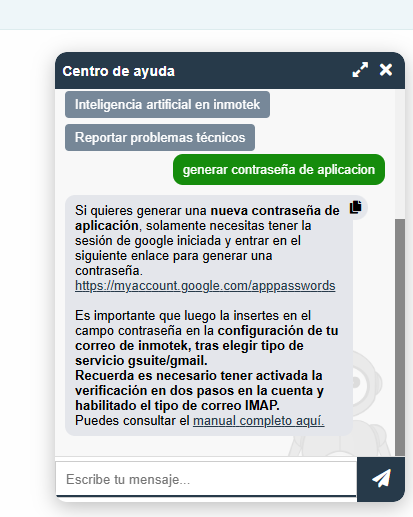
Use the help chat to generate your app password
If your Google account is not configured in Inmotek, it's likely because your application password has expired. Remember that, for security reasons, Google makes these passwords expire periodically.
The easiest way to reconfigure it is to generate a new password through the specific link that you can get in the inmotek help chat (it appears as a green tab with a question mark at the bottom right or in the help section of the homepage).
In the Inmotek help chat, you can select "generate application password," and it will explain what you need to do. It will provide a link where you can generate the application password directly; you only need to be logged in with the account you want to configure. Click to generate a new application password, copy it, and then paste it into the password field of your email address in Inmotek. After clicking "Test configuration," your email will be reconfigured.