Mail improvements
Email settings and other new features
We have performed a major update to the mail system at Inmotek, fixing bugs, implementing advanced security, and improving speed.
Prior to this improvement, if you had Google-type accounts, you could use either the IMAP or Google Suite email service interchangeably.
For efficiency and security reasons, if you have Google accounts, you must now configure them accordingly. Otherwise, you will stop seeing new emails in Inmotek, although you will still be able to send emails. We strongly recommend doing this if you have Gmail or Google Workspace accounts.
You must configure IMAP or GOOGLE email to send property listings to clients and for automatic mailings; at least one email account in the company must be properly configured, otherwise mailings to clients WILL NOT BE SENT FROM 1/12/2017.
If you have a Google Suite or Gmail account
For them, follow these steps.
1. Access "My Data"
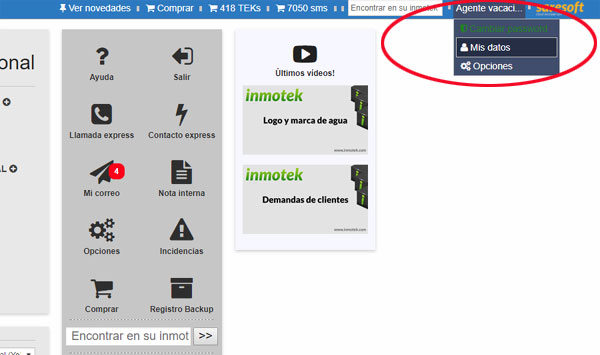
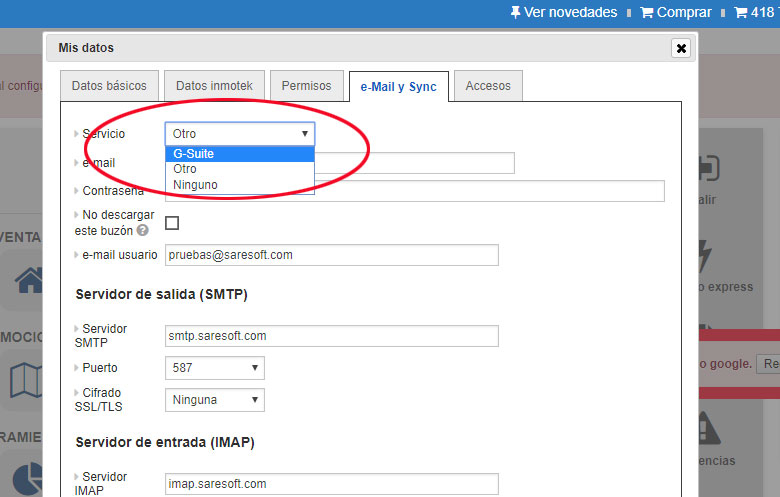
2. On the "email and Sync" tab, select the G-Suite service.
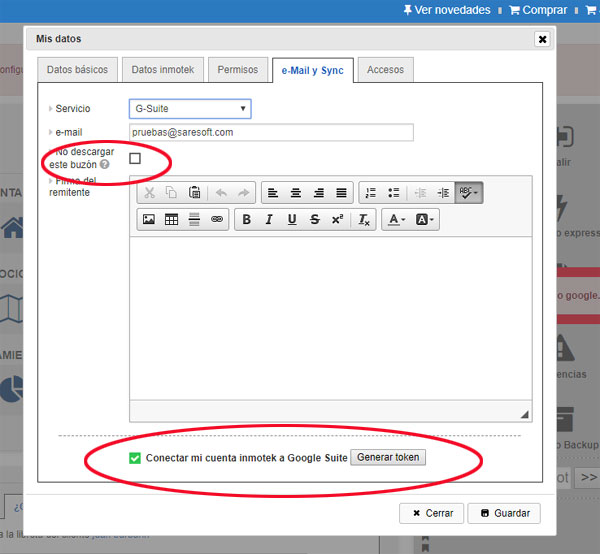
3. You will see the following options. You must generate a valid " token " to receive and send emails from your Google account in Inmotek. To do this, at the bottom you will find a button called " Regenerate Token ." A window will open where you must enter your email username and password. This way, Google trusts Inmotek by giving us a " token " that allows you to view and manage your email from Inmotek.
If you don't want your email to be visible in Inmotek because multiple users access your PC, for example, you can click the "Don't Download Email" button. This way, you can send emails through your Google account, but you won't read them in Inmotek.
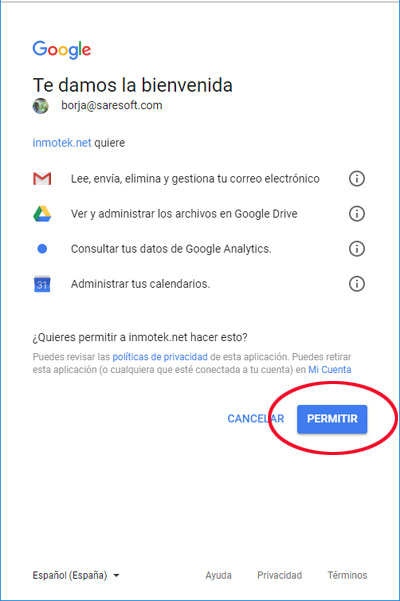
4. When you click the Generate token button, choose your email (if prompted), enter your username and password (if you haven't logged into your Google account today) and click the " Allow " button.
5. You will see that your " token " has been installed, press " Save " and you can now enjoy the full power of Gmail on Inmotek.
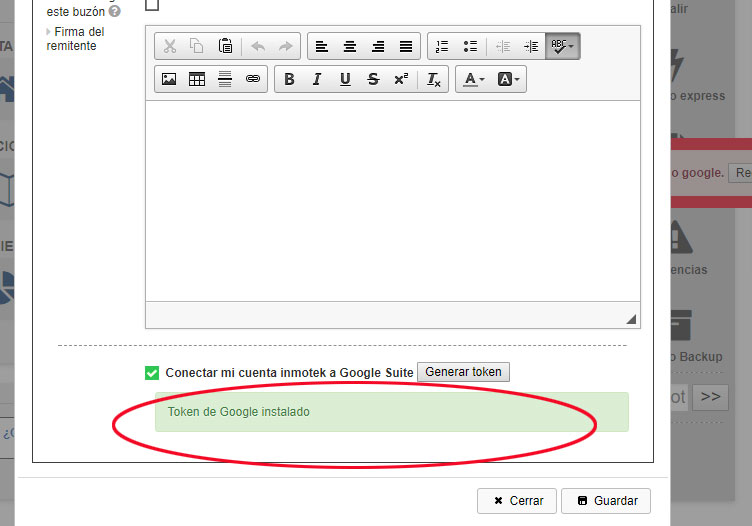
6. You can add a signature to email messages that will be attached to new messages you send.
7. If you are an administrator, from the options panel you can configure "token" for office and general company email accounts.
If you have a standard IMAP account
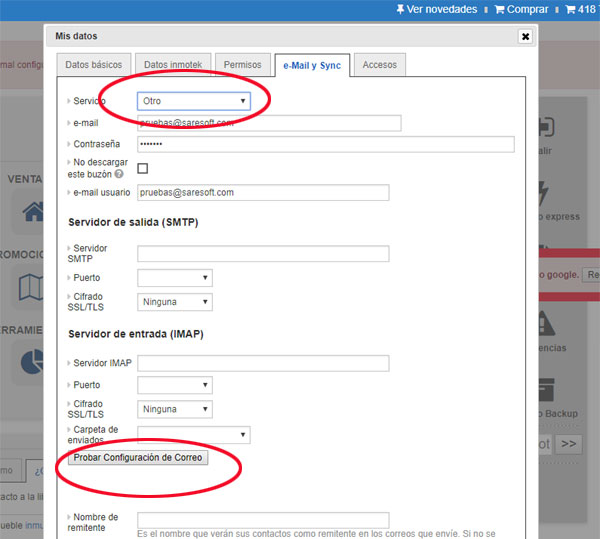
If you have a standard IMAP account, simply configure your email with the same information you would use in any email client, such as Outlook, Outlook Express, Thunderbird, etc.
Fill in the connection details and click the "Test email settings" button.
Two green V's should appear, along with the folder containing the sent items.
Other improvements
- A new email template has been created for sending property listings to clients. It is much more compatible with all types of email clients, including Outlook, so none of your clients should have any difficulty viewing your emails on their PC or mobile phone.
- It will be possible to create a client and demand from an information request from the main portals; we are currently testing the functionality.
- The loading speed of clients in Inmotek has been improved for agencies that had more than 10,000 clients.
- A small filter will be added to the tracking tabs to allow filtering of visits, events, calls, etc.
- It will be possible to assign a salesperson to an owner directly when registering them.
- The action type in follow-up called "NOTE" has been added, it can be filled out from the property or client list or from the client record in property.
- One note is not visible in the agenda
- It is a brief note that reflects certain information that, while important, is not crucial.
- Many inmotek users used the "Event" to note anything about a property or client, leaving the calendar too full.